Failed Delivery Attempts: Why They Happen and How to Prevent Them
Daniel Pierce·5 min read
Sarah Mitchell
Customer Experience Strategist, TrackLogy
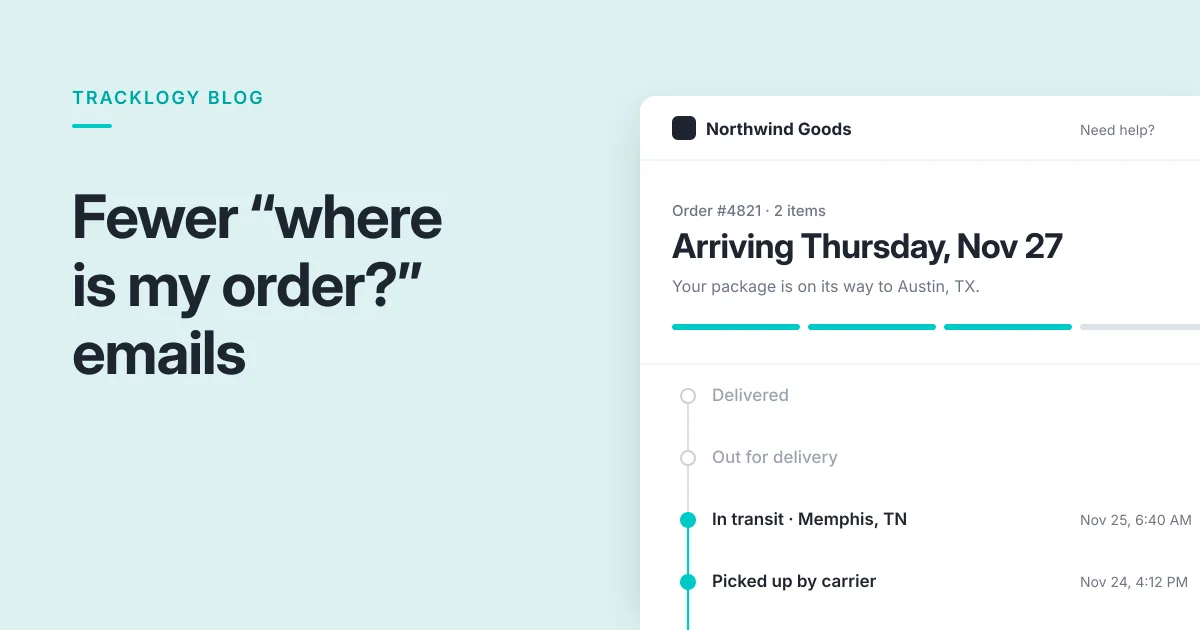
If you run an eCommerce support inbox, you already know the most common question you get. It isn't about sizing, refunds, or discounts. It's some version of "Where is my order?"
The industry calls these WISMO tickets (Where Is My Order). They are usually the single biggest category of post-purchase support requests, and almost every one of them is avoidable. The customer isn't really asking a question. They are telling you that they don't have enough information.
This guide explains why WISMO happens, what it costs you, and seven practical ways to reduce it.
WISMO is any customer contact — email, chat, phone, social DM — asking about the status or location of an order. Typical examples:
Notice the pattern: each one is triggered by silence or confusion. Fix those two things and WISMO volume drops.
A single WISMO ticket looks cheap. An agent opens the order, copies the tracking number, checks the carrier site, and replies. But at scale the cost adds up:
During peak season these costs multiply. (See our guide to [shipping in peak season](/blog/shipping-peak-season-high-volume-tracking/).)
Before fixing WISMO, understand where it comes from:
1. No shipping confirmation, or one sent late.
2. Tracking links that go to carrier websites with confusing status codes.
3. Long gaps with no updates, especially during international transit or customs.
4. Delivery exceptions nobody explains — failed attempts, address issues, weather delays.
5. Unclear delivery estimates at checkout, so customers don't know what "normal" looks like.
6. "Delivered" scans when the customer can't find the parcel.
Each of the fixes below targets one or more of these causes.
The first message after "thank you for your order" should be the shipping confirmation, and it should go out automatically as soon as a tracking number exists — not when someone remembers to click a button.
Include the carrier, tracking number, a tracking link, and the expected delivery window. We cover exactly what to include in our post on [shipping confirmation email templates](/blog/shipping-confirmation-email-templates/).
One email isn't enough. Customers want to hear from you at the moments that matter:
Automated milestone notifications mean the customer gets the answer before they think of the question. If you're on WooCommerce, here's how to [set up automated shipping notifications](/blog/automated-shipping-notifications-woocommerce/).
Carrier tracking pages are built for logistics staff, not shoppers. Status codes like "Arrived at sort facility" or "Processing at destination" mean little to most people, and the page sends the customer away from your brand.
A [branded tracking page](/blog/branded-tracking-pages-increase-repeat-purchases/) on your own domain shows a clean timeline in plain language, plus your logo, support links, and product recommendations. Customers who understand the status don't open tickets.
Even on your own page, raw carrier events can confuse people. Map them to simple, human messages:
| Carrier says | Customer sees |
|---|---|
| Shipment information received | Your order is packed and waiting for pickup |
| Departed facility | Your package is on its way |
| Clearance event | Your package is going through customs |
| Delivery attempted | We tried to deliver — here's what to do next |
Our [tracking events status guide](/blog/shipment-tracking-events-status-guide/) breaks down what each common status really means.
Delays happen. What creates tickets is a delay the customer discovers on their own. When tracking shows an exception, message the customer immediately with what happened, what happens next, and whether they need to do anything.
A short, honest message ("Your package was delayed by weather in transit. The new estimate is Thursday.") prevents most follow-up questions. Read more on [handling shipment exceptions without losing trust](/blog/handle-shipment-exceptions-customer-trust/).
WISMO often starts before the order ships. If checkout says "ships in 1–2 days" and the product page says "fast delivery", customers will start worrying on day 3.
Show a specific delivery window at checkout and repeat it in the order confirmation and shipping emails. Consistency calms customers.
Many customers lose the shipping email. Give them a simple order lookup on your site — order number plus email — that opens the tracking page. Link it from your header, footer, help center, and chat widget so the answer is always one click away.
You can't improve what you don't measure. Track these numbers monthly:
For a wider view of fulfillment health, see [7 shipment tracking metrics every eCommerce manager should monitor](/blog/shipment-tracking-metrics-ecommerce/).
TrackLogy was built to remove WISMO at the source:
It connects to WooCommerce in a few minutes — follow the [WooCommerce shipment tracking setup guide](/blog/woocommerce-shipment-tracking-setup-guide/) to get started.
WISMO stands for "Where Is My Order." It describes any customer support request asking about the status or location of an order.
Usually because they haven't received an update, don't understand the carrier's tracking status, or their delivery is taking longer than they expected.
Automate shipping notifications at each key milestone and send customers to a branded tracking page with plain-language status updates. Most WISMO tickets come from silence or confusion, and these two changes address both.
Yes. WISMO is mostly a communication problem, not a carrier problem. Better notifications and a clearer tracking experience work with the carriers you already use.
Ready to cut WISMO tickets? [Start your free TrackLogy trial](https://my.tracklogy.com/register) and send your first branded tracking update today.
Daniel Pierce·5 min read
Emily Hargrove·5 min read
Sarah Mitchell·5 min read
Ready to Upgrade Your Post-Purchase Experience?
Start your free trial. No credit card required.
Start Free Trial