Failed Delivery Attempts: Why They Happen and How to Prevent Them
Daniel Pierce·5 min read
Emily Hargrove
Customer Experience Lead, TrackLogy
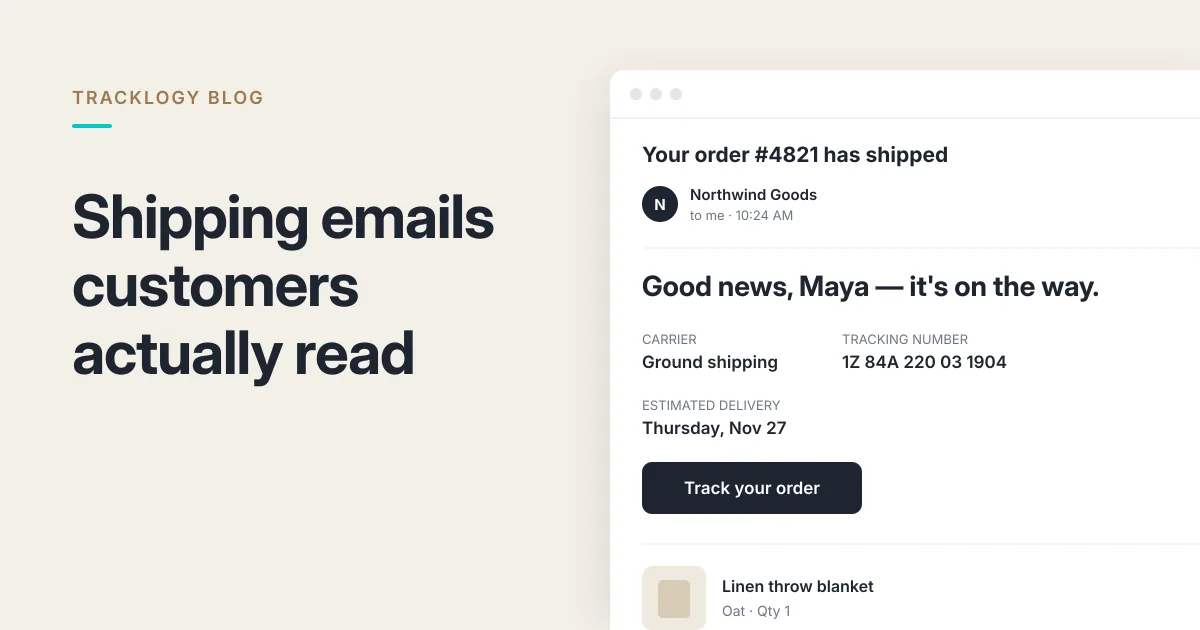
Transactional emails get far more attention than marketing emails, and the shipping confirmation is one of the most anticipated of them all. The customer has paid and is waiting. When "Your order has shipped" lands in their inbox, they open it.
Yet many stores still send a plain, default email with a raw tracking number and nothing else. That's a missed opportunity to reassure the customer, prevent support tickets, and bring them back to your store.
This guide covers what a great shipping confirmation email includes, and gives you five templates you can copy and adapt.
A shipping confirmation email tells the customer that their order has left your warehouse (or a shipping label has been created) and gives them a way to follow it. It sits between the order confirmation (sent at purchase) and the delivery confirmation (sent when the package arrives).
Done well, it answers every question the customer might have before they ask — which is the most effective way to [reduce "where is my order?" tickets](/blog/reduce-wismo-where-is-my-order-tickets/).
| Element | Why it matters |
|---|---|
| Clear subject line with order number | Easy to find later in the inbox |
| Order number | Customers reference it when contacting support |
| Carrier name | Sets expectations about how delivery works |
| Tracking number | Required for any carrier lookup |
| Tracking button / link | The primary action — ideally to a branded tracking page |
| Estimated delivery date | The single most useful piece of information |
| Items shipped | Confirms what's in the box, critical for split shipments |
| Shipping address | Lets the customer spot address mistakes early |
| Support contact | One click to help, with no searching |
| Brand look and feel | Builds trust and recognition |
The tracking button is the most-clicked element in the email. If it sends customers to a carrier site, you lose them. Linking to a [branded tracking page](/blog/branded-tracking-pages-increase-repeat-purchases/) keeps them on your domain, shows updates in plain language, and gives you space for help links and product recommendations.
Keep subject lines short, specific, and easy to search:
Avoid clever wording that hides the meaning. Clarity wins in transactional email.
Replace the {{placeholders}} with your store's variables.
**Subject:** Your order #{{order_number}} has shipped
>
Hi {{first_name}},
>
Great news — your order is on its way!
>
**Carrier:** {{carrier_name}}
**Tracking number:** {{tracking_number}}
**Estimated delivery:** {{delivery_date}}
>
**[Track your order]**
>
**What's in this shipment:** {{items_list}}
**Shipping to:** {{shipping_address}}
>
We'll email you again when it's out for delivery. Questions? Just reply to this email.
>
— The {{store_name}} team
**Subject:** Your order is out for delivery today
>
Hi {{first_name}},
>
Your package is on the delivery vehicle and should arrive today.
>
**[See live status]**
>
A few tips: make sure someone can receive the package if a signature is required, and check your safe place or front desk if you're not home.
>
— The {{store_name}} team
**Subject:** Your order #{{order_number}} was delivered
>
Hi {{first_name}},
>
Your package was delivered on {{delivery_date}}. We hope you love it!
>
Can't find it? Check around your door, with neighbours, or at your building's reception. If it's still missing after 24 hours, **[contact us]** and we'll help.
>
**[Leave a review]**
>
— The {{store_name}} team
**Subject:** Update on your order #{{order_number}}
>
Hi {{first_name}},
>
We want to let you know your package is running a little late.
>
**What happened:** {{exception_reason}}
**New estimated delivery:** {{new_delivery_date}}
**Do you need to do anything?** {{customer_action_or_none}}
>
**[Track your order]**
>
We're keeping an eye on it and will update you as soon as it moves. Sorry for the wait.
>
— The {{store_name}} team
Proactive delay emails like this one are covered in more depth in our guide on [handling shipment exceptions without losing customer trust](/blog/handle-shipment-exceptions-customer-trust/).
**Subject:** Part of your order #{{order_number}} has shipped
>
Hi {{first_name}},
>
Your order is arriving in {{package_count}} packages. Here's the first one.
>
**Package 1 of {{package_count}}** — {{items_list}}
**Carrier:** {{carrier_name}} · **Tracking:** {{tracking_number}}
>
**[Track this package]**
>
We'll send a separate email for each remaining package.
>
— The {{store_name}} team
1. Sending the email before the carrier has the parcel, so tracking shows "no information"
2. Only including a tracking number with no clickable link
3. Leaving out the estimated delivery date
4. Using a no-reply address with no other way to get help
5. Sending one email for a multi-package order without saying more are coming
6. Stopping at "shipped" — with no out-for-delivery or delivered updates
Writing great templates is half the job. The other half is sending them at exactly the right moment, every time. TrackLogy watches carrier events across 1,000+ carriers and sends your branded notifications automatically for shipped, out for delivery, delivered, and exception events — each linking to your own branded tracking page.
On WooCommerce? Follow our guide to [automated shipping notifications for WooCommerce](/blog/automated-shipping-notifications-woocommerce/).
As soon as the shipping label is created and a tracking number is available, ideally automatically. Some stores wait for the first carrier scan so the tracking link already shows movement.
An order confirmation is sent right after purchase to confirm payment and order details. A shipping confirmation is sent later, when the order ships, and includes carrier and tracking information.
A small amount is fine — for example, a few product recommendations below the main tracking information. Keep the tracking details at the top and make sure the email's main purpose stays transactional.
At minimum: shipped, out for delivery, and delivered, plus a message whenever there is a delay or exception.
Want these emails sent automatically? [Start your free TrackLogy trial](https://my.tracklogy.com/register).
Daniel Pierce·5 min read
Sarah Mitchell·6 min read
Sarah Mitchell·5 min read
Ready to Upgrade Your Post-Purchase Experience?
Start your free trial. No credit card required.
Start Free Trial